
MkDocs + Material Basic Manual
MkDocs is a static site generator for building beautiful documentation sites from Markdown.
Key Features
| Feature | Description |
|---|---|
| Markdown | Converts Markdown files to HTML |
| Themes | Rich prebuilt themes available |
| Automation | Generate site with single build command |
| Live Reload | Changes reflected instantly with serve |
| Search | Full-text search built-in |
| Plugins | Extend functionality with plugins |
Requirements
- macOS: 10.15+
- Windows: 10/11
- Linux: Major distributions
- Python: 3.8+
Installation
macOS
1. Install Homebrew (if not installed)
/bin/bash -c "$(curl -fsSL https://raw.githubusercontent.com/Homebrew/install/HEAD/install.sh)"2. Install Python
brew install pythonVerify:
python3 --version
python3 -m pip --version
3. Install MkDocs
python3 -m pip install mkdocsVerify:
mkdocs --versionWindows
1. Install Python
Download from Python official site
⚠️ Important: Check “Add Python to PATH”
2. Verify
python --version
python -m pip --version
3. Install MkDocs
python -m pip install mkdocsLinux
1. Install Python
Ubuntu/Debian:
sudo apt update
sudo apt install python3 python3-pip
Fedora/RHEL:
sudo dnf install python3 python3-pipArch Linux:
sudo pacman -S python python-pip2. Install MkDocs
python3 -m pip install --user mkdocsIf path not set, add to ~/.bashrc:
export PATH="$HOME/.local/bin:$PATH"Quick Start
mkdocs new mysite      # Create new project
cd mysite              # Change directory
mkdocs serve           # Start local server
Open http://127.0.0.1:8000 in browser
Stop server: Ctrl + C
Install Material Theme
macOS / Linux:
python3 -m pip install mkdocs-materialWindows:
python -m pip install mkdocs-materialmkdocs.yml Configuration
Basic Settings
site_name: SAMPLE SITE

site_dir: 'public'

theme:
  name: material

  features:
    - content.code.copy

  palette:
    primary: teal
    scheme: slate

copyright: Copyright © 20xx SAMPLE SITE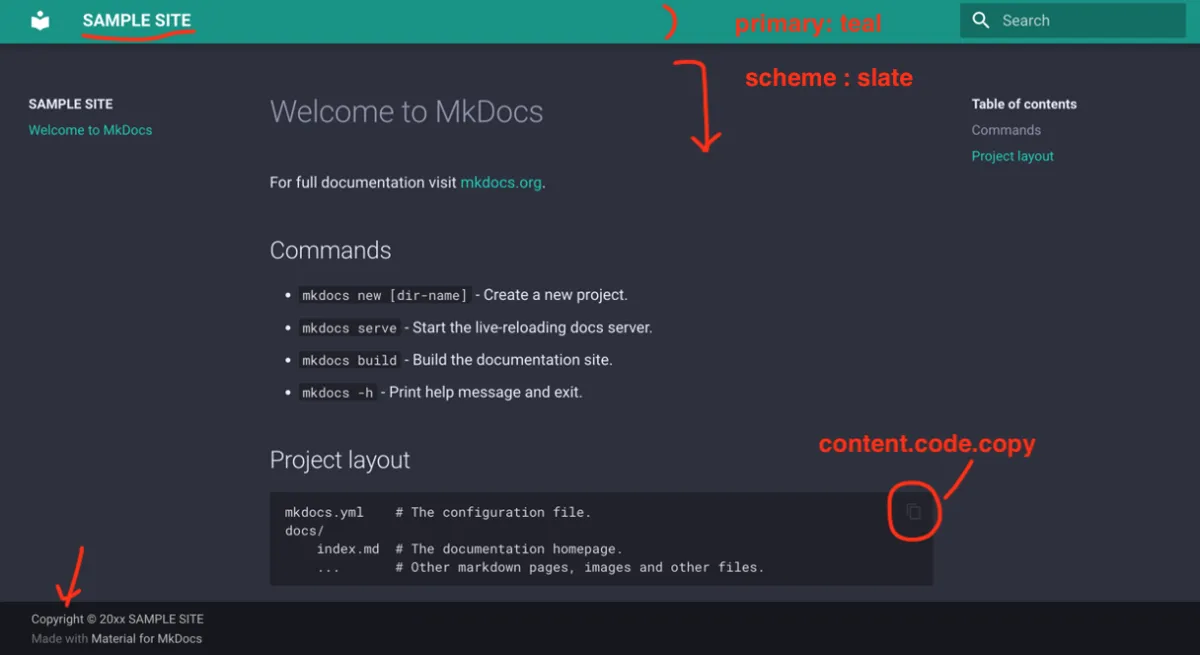
Dark Mode Toggle
theme:
  palette:
    # Light mode
    - media: '(prefers-color-scheme: light)'
      scheme: default
      primary: indigo
      toggle:
        icon: material/brightness-7
        name: Switch to dark mode
    # Dark mode
    - media: '(prefers-color-scheme: dark)'
      scheme: slate
      primary: indigo
      toggle:
        icon: material/brightness-4
        name: Switch to light mode
Color Palette
Available colors: red, pink, purple, deep purple, indigo, blue, light blue, cyan, teal, green, light green, lime, yellow, amber, orange, deep orange, brown, grey, blue grey, black, white

theme:
  palette:
    primary: teal # Header and link color
    accent: indigo # Button and highlight color
Navigation Settings
nav:
  - Home: index.md
  - Getting Started: getting-started.md
  - Tutorial:
      - Basics: tutorial/basics.md
      - Advanced: tutorial/advanced.md
  - Reference: reference.md
Basic Commands
| Command | Description |
|---|---|
mkdocs new mysite | Create new project |
mkdocs serve | Local preview (http://127.0.0.1:8000) |
mkdocs build | Build HTML |
mkdocs gh-deploy | Deploy to GitHub Pages |
Editing Content
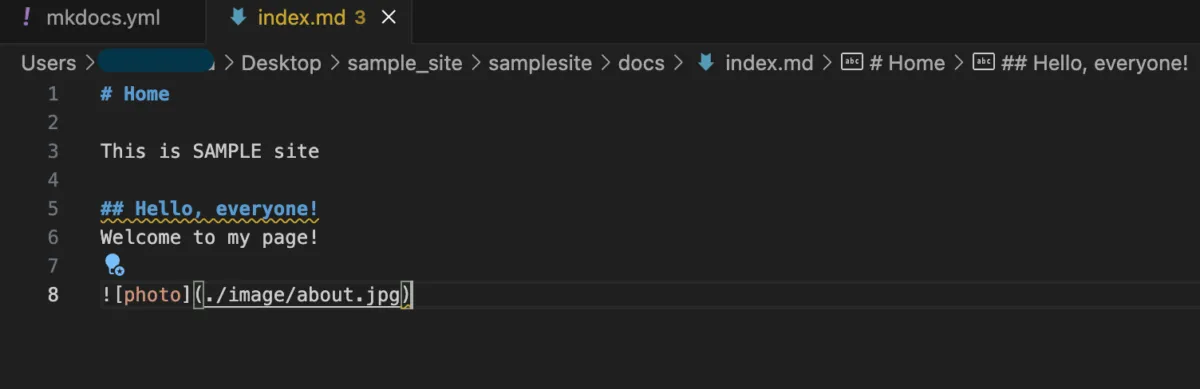
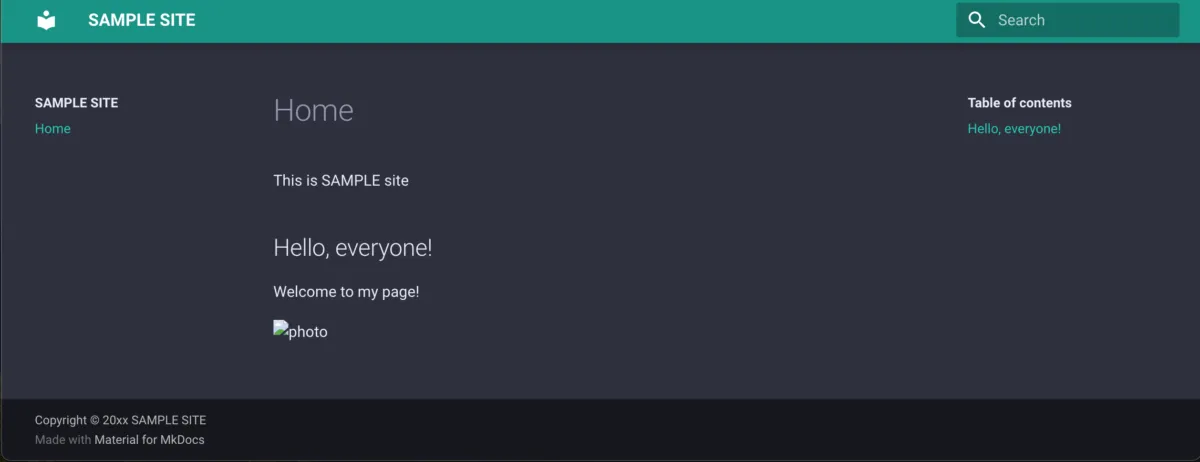
Edit .md files in the docs/ folder.
Deploy to GitHub Pages
1. Create GitHub Repository
git init
git add .
git commit -m "Initial commit"
git remote add origin https://github.com/username/repository.git
git push -u origin main
2. Deploy
mkdocs gh-deploy3. Public URL
https://username.github.io/repository/Troubleshooting
| Error | Solution |
|---|---|
remote origin not found | Add remote with git remote add origin |
Permission denied (publickey) | Register SSH key with GitHub. See GitHub SSH Guide |